Your solar & battery
system, on call.
DeyeTrack watches your inverter's live numbers, lets AUTOPILOT plan tonight's battery charging, and tells you straight whether the battery you have will actually get you to sunrise.
Everything the inverter knows, in plain language.
DeyeTrack signs into your own DeyeCloud account and turns raw telemetry into decisions you can act on from your pocket.
Live monitoring
Grid, solar, battery and home power flow, state of charge, temperature, and battery details in one place, with energy history and a solar forecast.
AUTOPILOT & guarded controls
Let AUTOPILOT plan tonight's charging, or set the battery, solar priority, schedule and grid limits yourself. Nothing is written until you tap Apply settings, and DeyeTrack waits for the inverter to confirm.
Outage readiness
DeyeTrack compares what's stored against what tonight needs — sunset to sunrise — and tells you the extra or short margin in kWh, before it becomes a problem.
Temperature watch
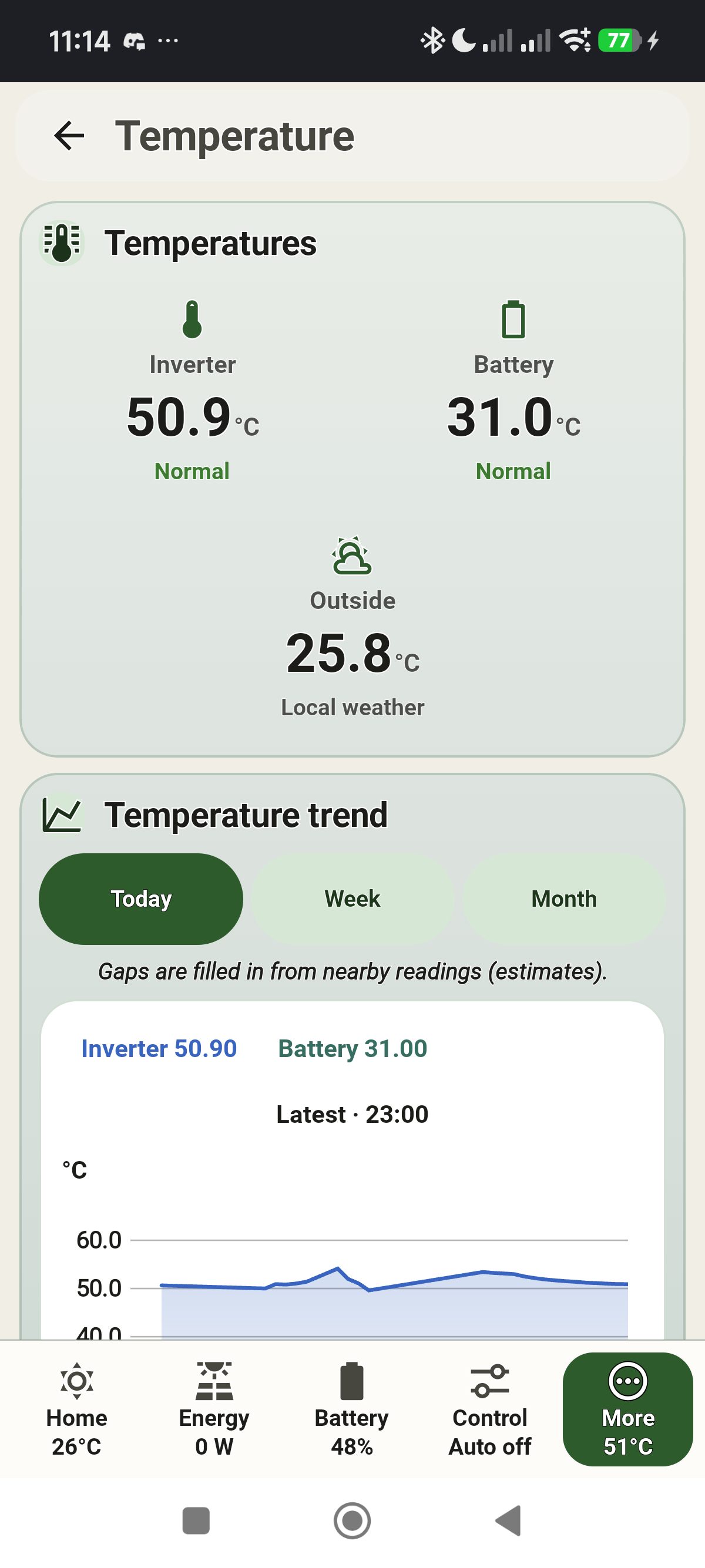
Inverter and battery readings next to the outside temperature, each labeled Normal at a glance, with a trend line so a slow drift doesn't go unnoticed.
Make it yours
Arrange, resize, recolor or hide tiles on Home, Energy, Battery and Control. Pick from 19 live-flow styles, your own background, and light or dark.
Home-screen widget
Keep battery, solar, home and temperature readings on your home screen. Choose what each widget shows, its theme and colors, and what a tap does.
DeyeTrack stays within the limits it can verify.
Let AUTOPILOT plan the night, or change the settings yourself. Every change stays a draft until you tap Apply settings, and the app re-checks your inverter before it writes anything.
Apply settings and manual grid charging are available only while AUTOPILOT is off. If DeyeTrack cannot confirm that, it sends nothing.
It checks tonight's math before dark.
Every refresh, AUTOPILOT adds up what's stored against what the night ahead needs — from sunset tonight to sunrise tomorrow — and only reaches for grid charging if the numbers actually say so.
Tonight's energy balance
Needed 3 kWh · includes 20% reserve
+3.7 kWh surplus until sunrise
- Forecast — tomorrow's expected solar, including rain in the outlook.
- Reserve — needed kWh is the home use still ahead tonight plus a 20% reserve.
- Verify — AUTOPILOT charges from the grid only between 4 and 8 PM, only for a real shortfall. A verified nearby super typhoon can raise the target to 100%.
The current outlook shows when grid charging is unnecessary and how much battery energy is expected to remain by sunrise.
A tour of the app, from a live station.
These are real captures from a running installation. Your own readings appear when you sign in.
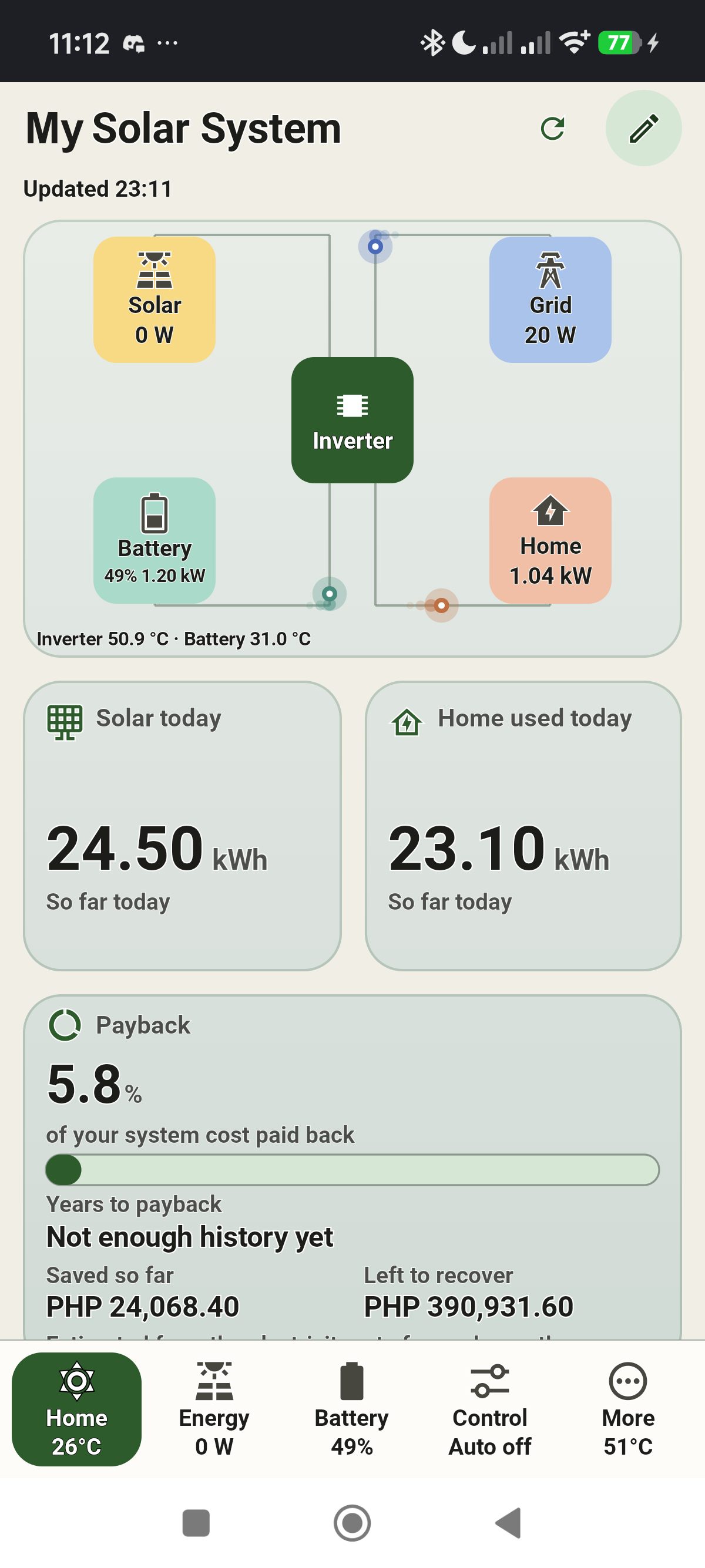
One glance, the whole system.
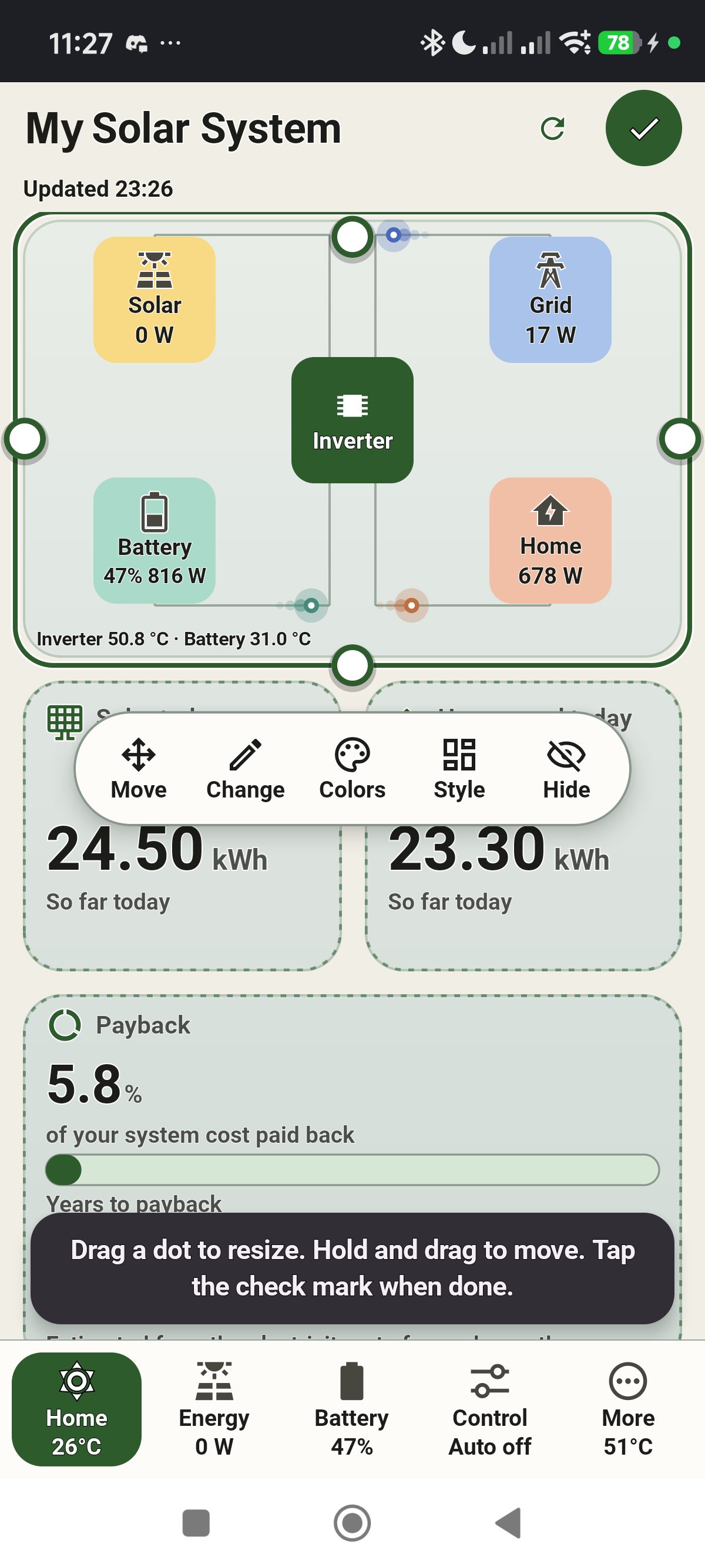
The live flow puts solar, grid, battery, inverter and home load in one view, with inverter and battery temperatures underneath. Solar generated and home use so far today sit right below it.
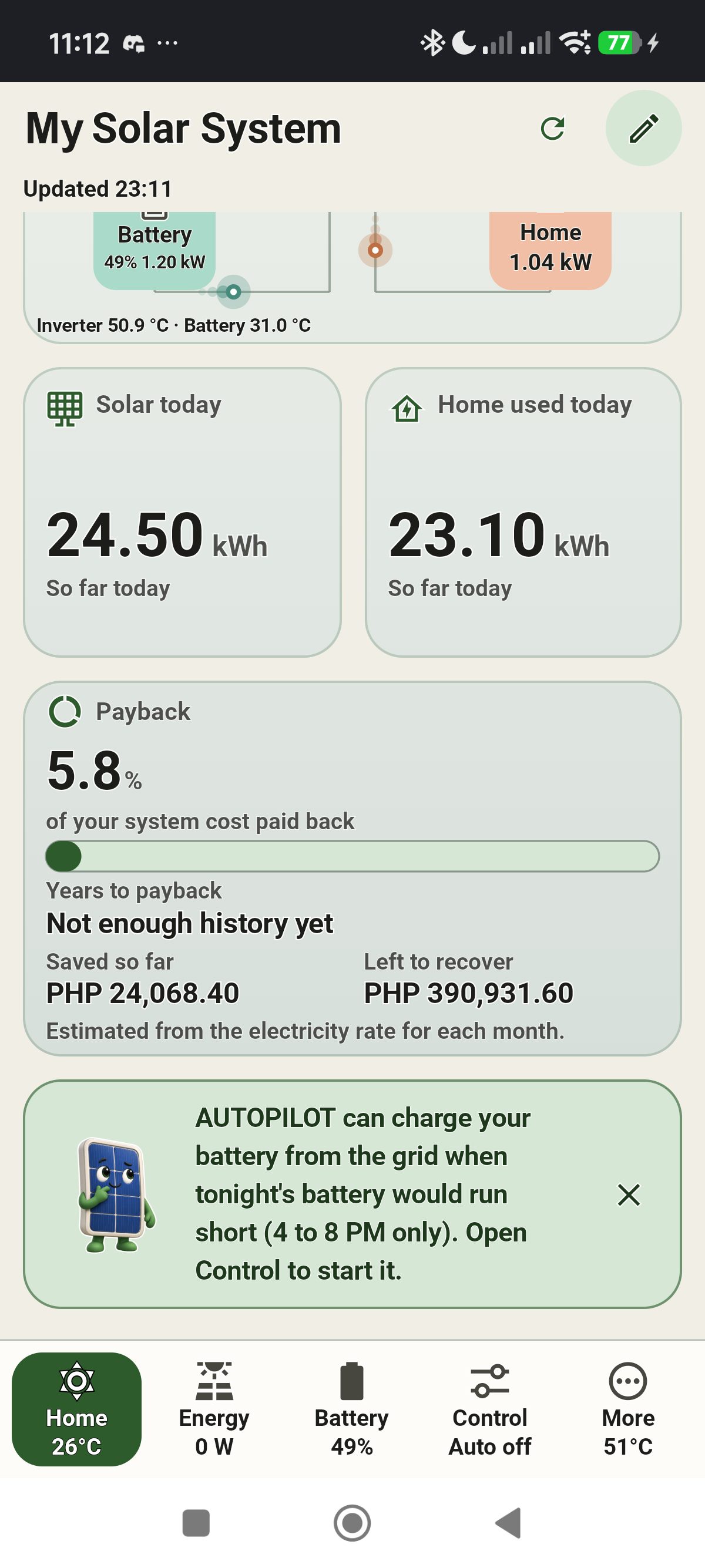
See the long-term picture.
Payback shows how much of your system cost your solar has paid back, the savings so far, and what is left to recover. Once there is enough history it estimates the years to payback; until then it says so instead of guessing.
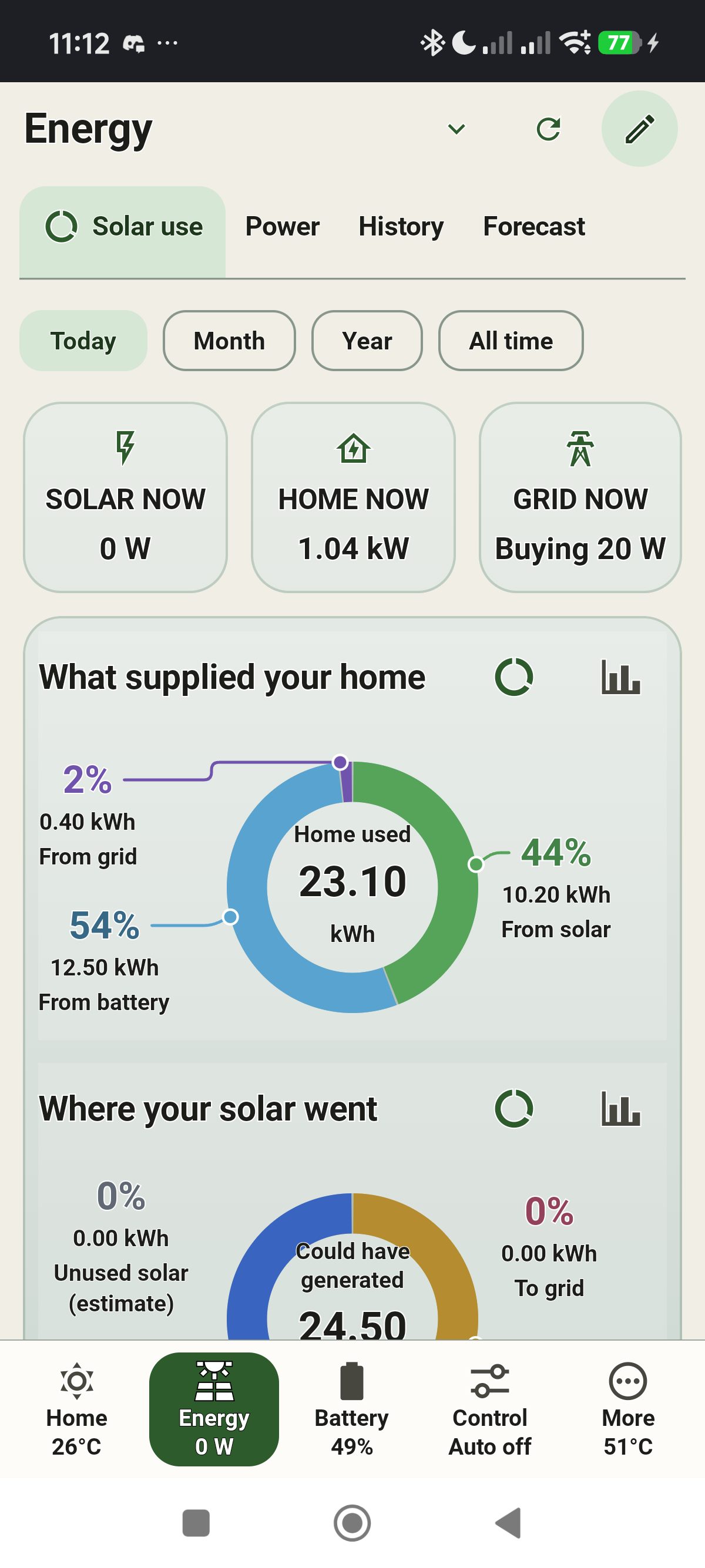
See where your energy goes.
Choose Today, Month, Year or All time. One ring shows what supplied your home (solar, battery or grid) and another shows where your solar went: to the home, the battery, the grid, or unused.
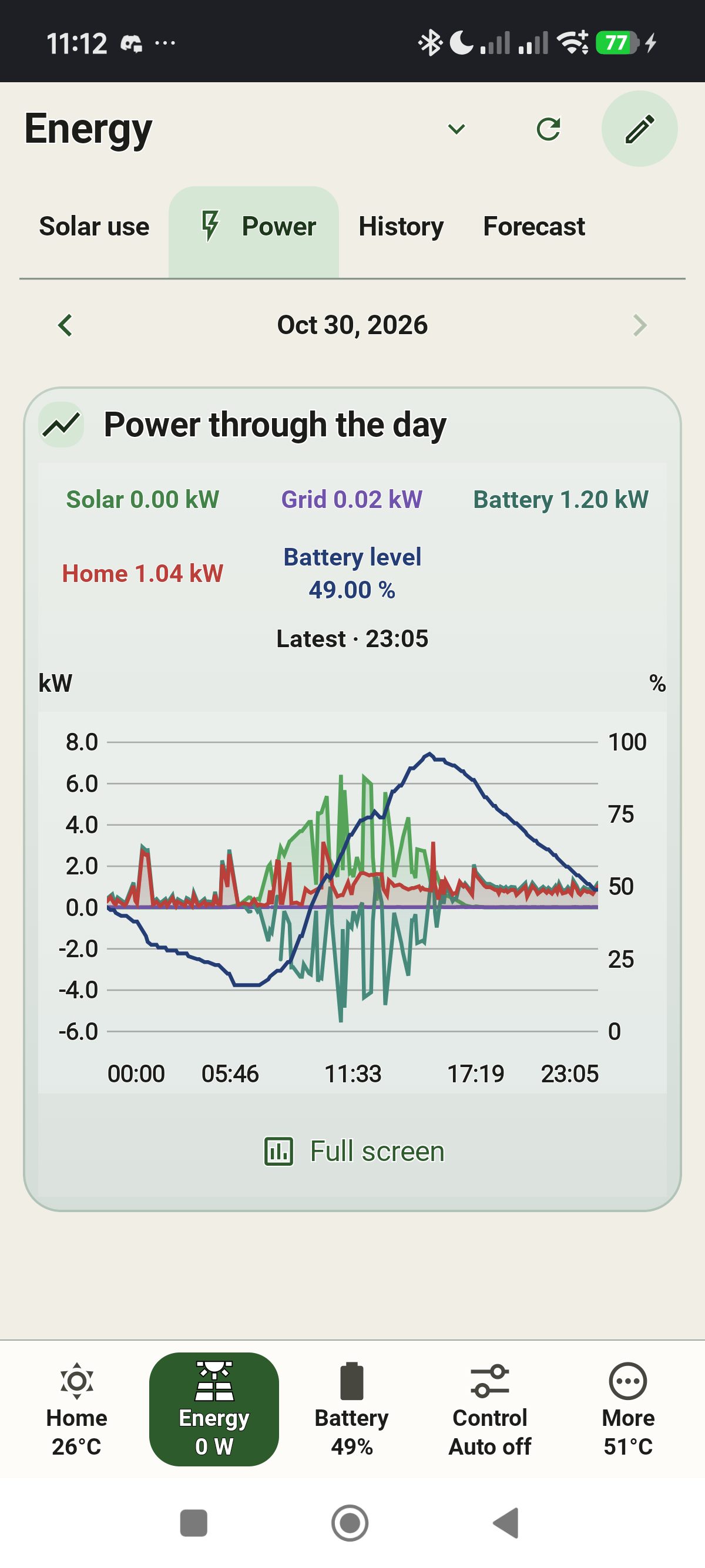
Follow the day's power.
Solar, grid, battery and home power are plotted through the day beside the battery level. Use the date arrows to step back to earlier days.
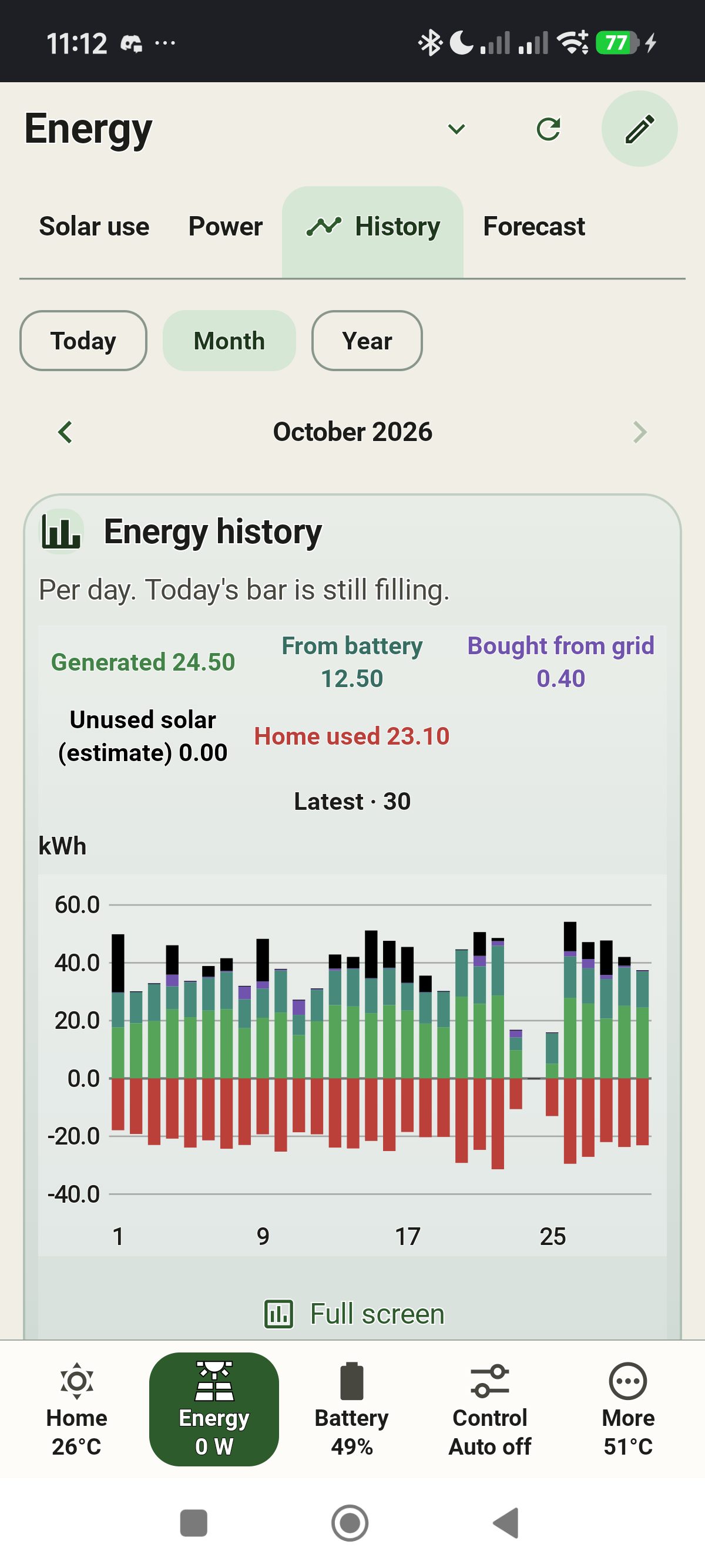
Compare day after day.
Per-day bars for energy generated, taken from the battery, bought from the grid, unused solar and home use. Switch between Today, Month and Year.
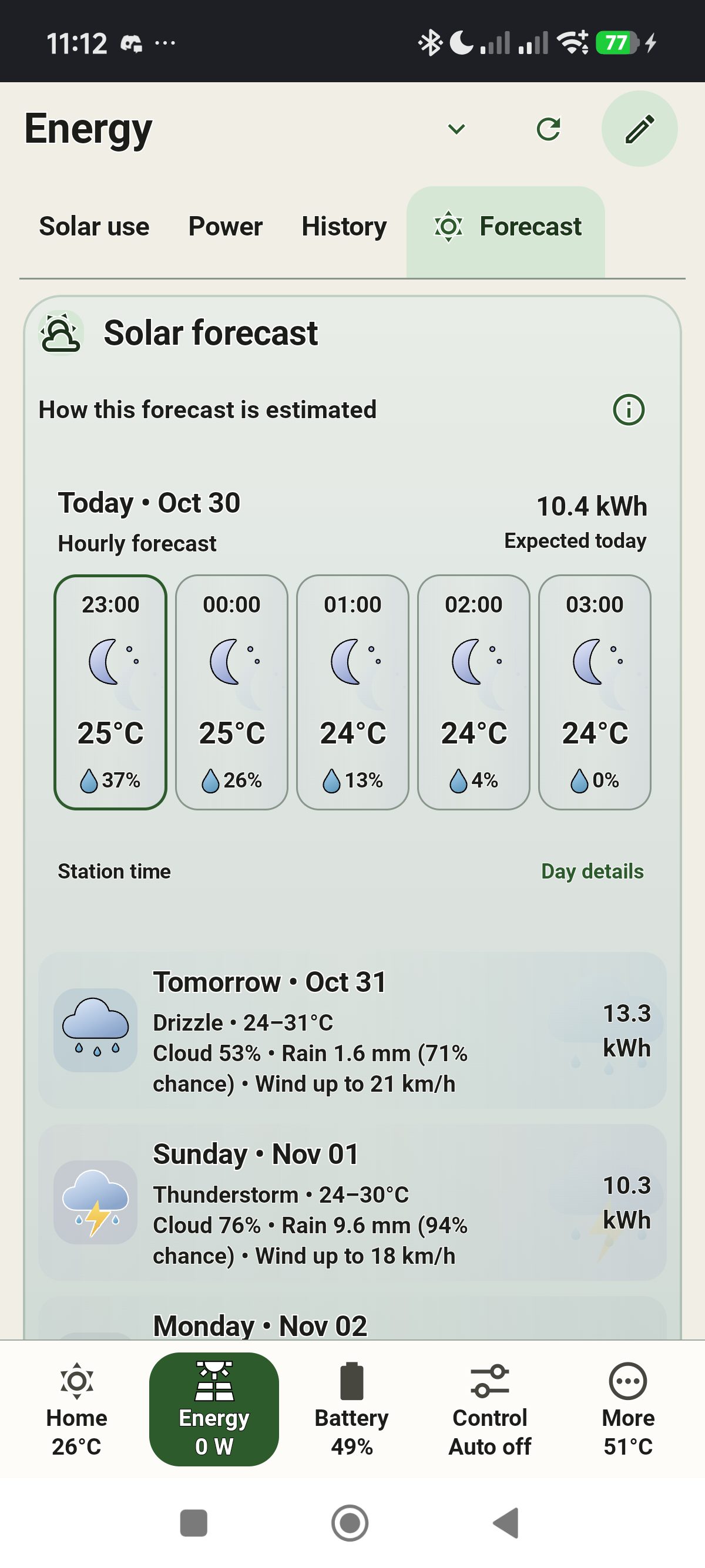
Plan around the next few days.
An hourly forecast for today and a day-by-day outlook with expected solar generation, weather, cloud cover, rain chance and wind.
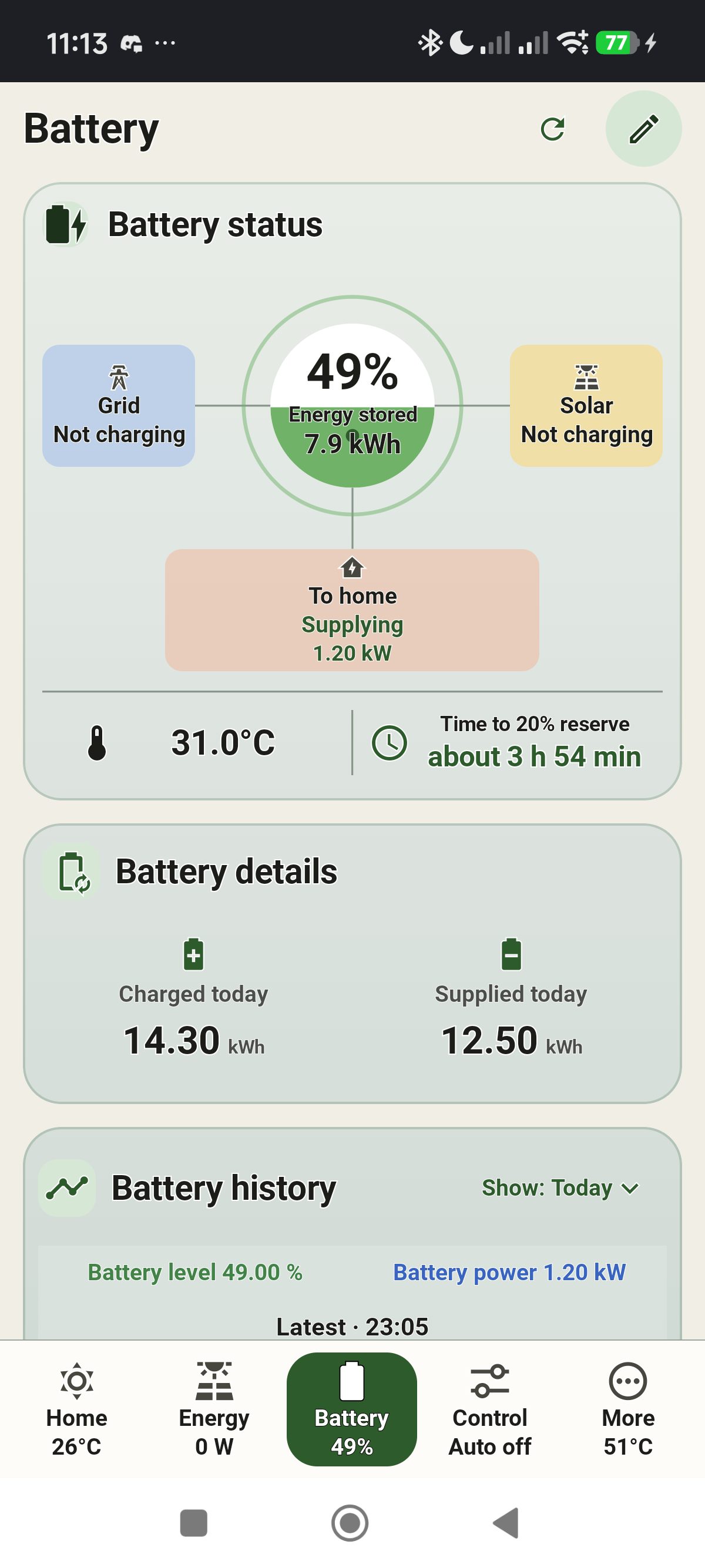
Know what is in the battery.
State of charge and stored energy in kWh, whether the grid or solar is charging it, what it is supplying to the home, battery temperature, and how long until it reaches your reserve. Charged and supplied today sit just below.
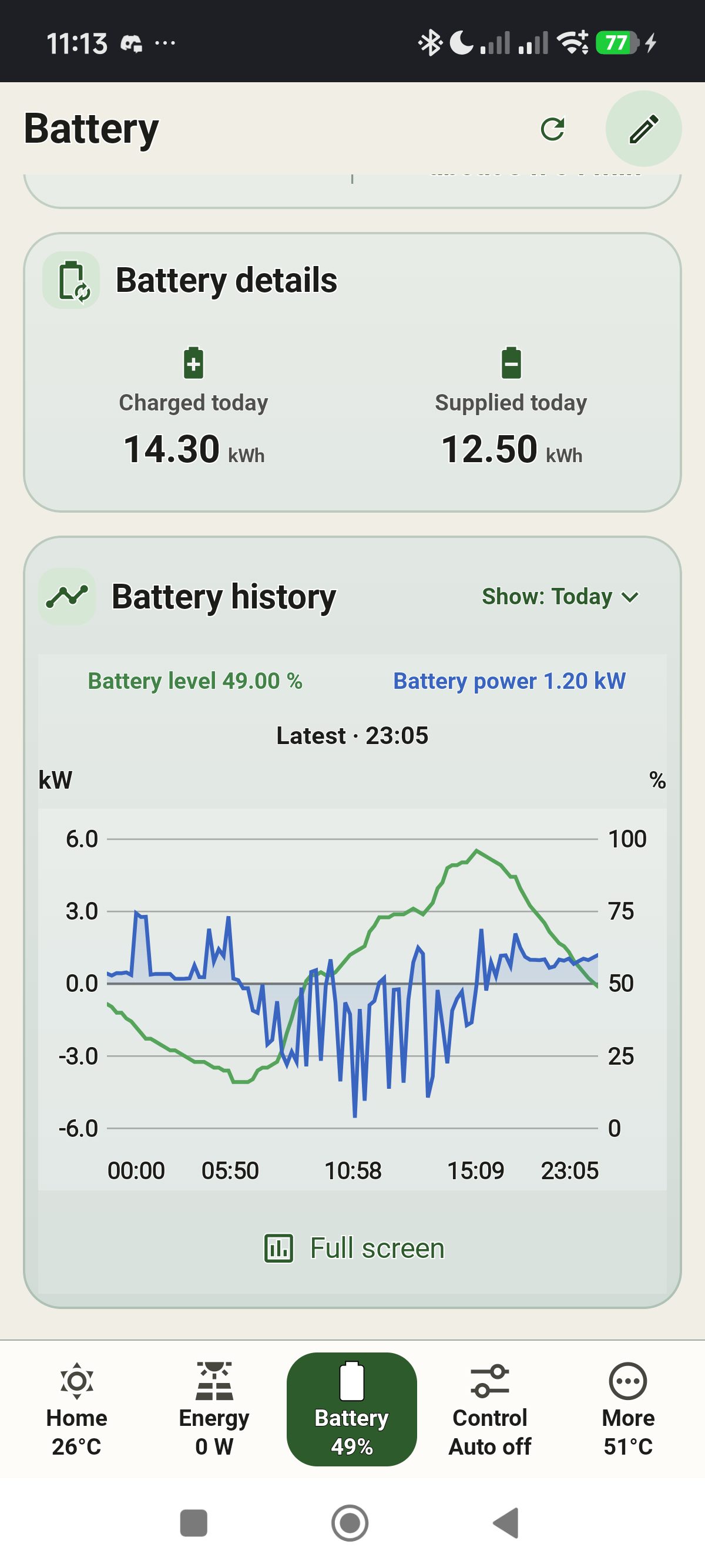
Watch the battery through the day.
Battery level and battery power are plotted together, with a selector for looking at other periods.
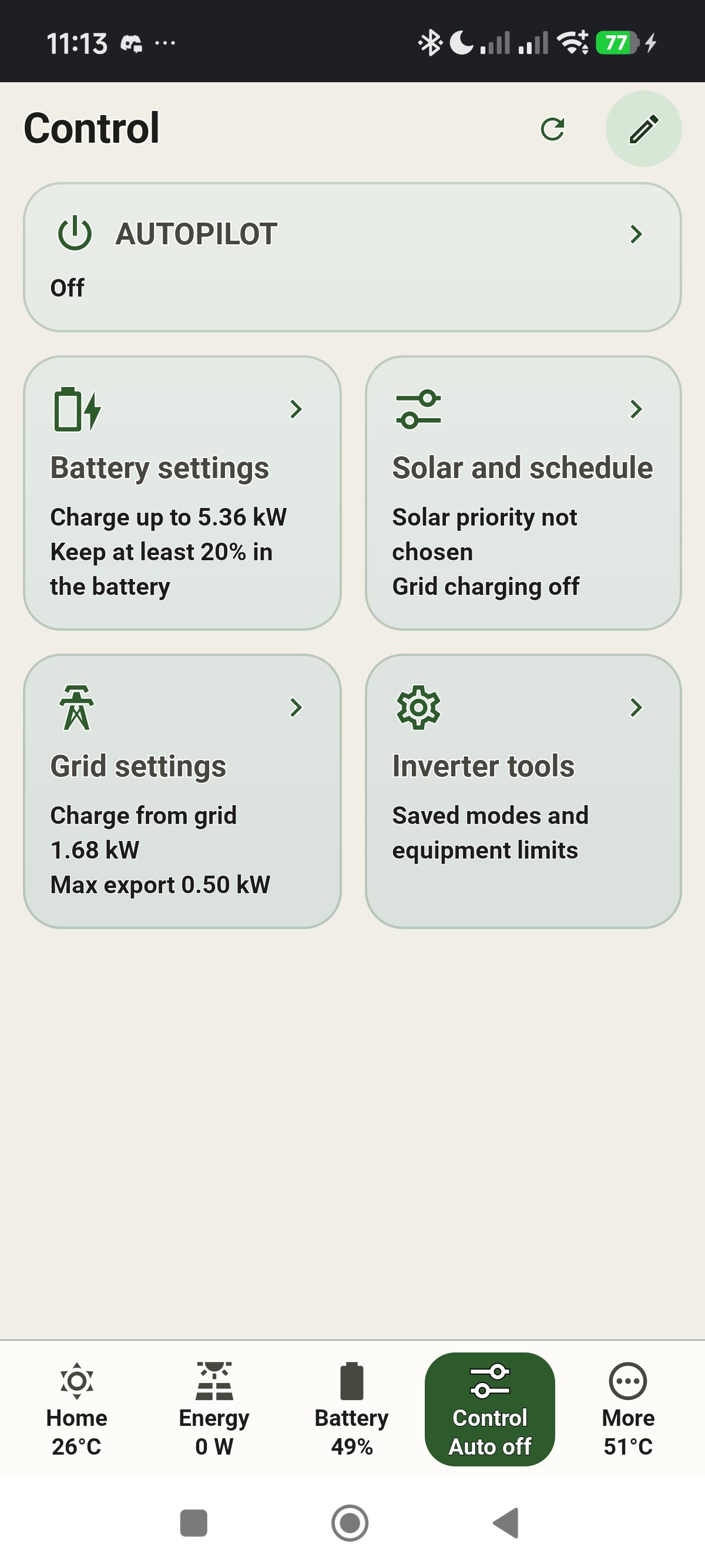
Control, in a few tiles.
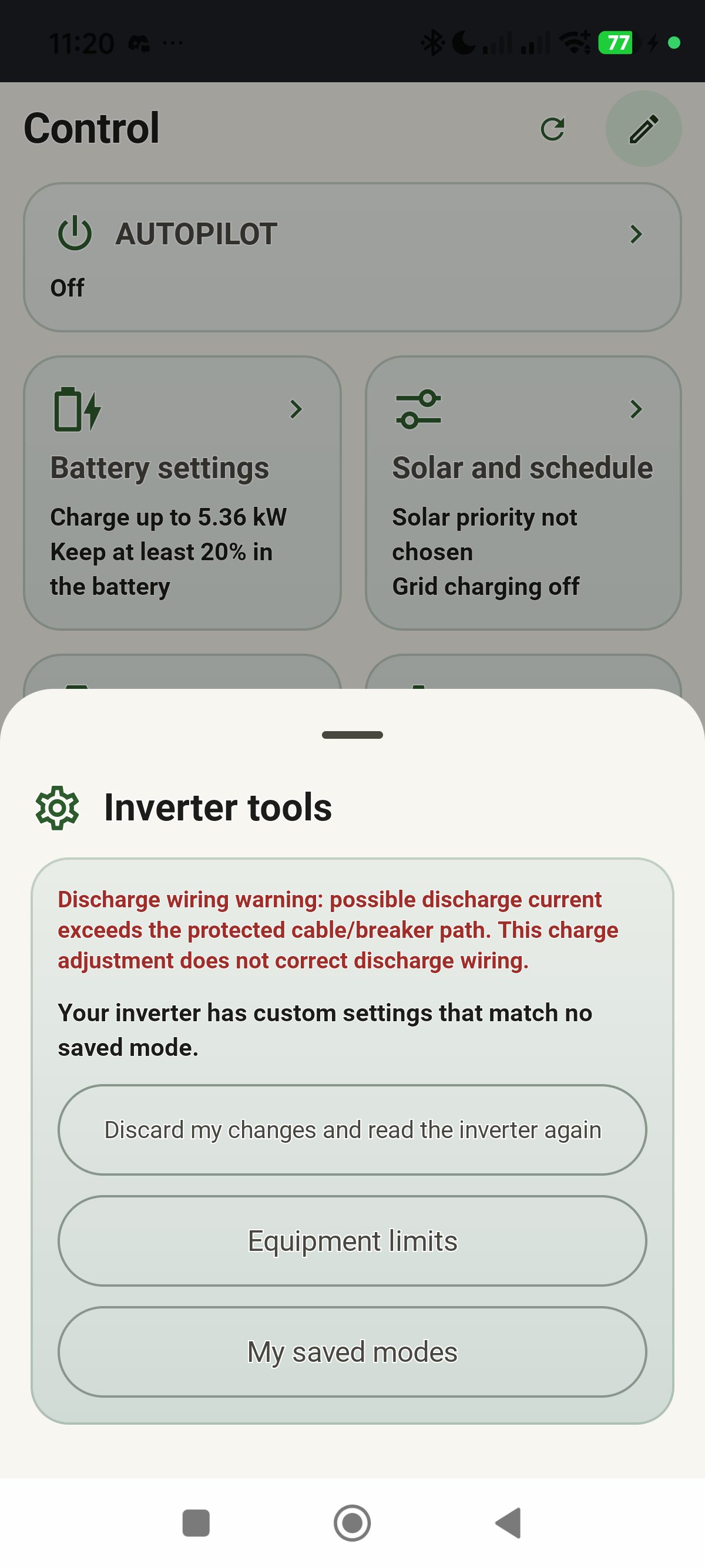
AUTOPILOT sits on top. Below it, Battery settings, Solar and schedule, Grid settings and Inverter tools each show their current values. Tap a tile to change them.
Changes stay a draft until you apply them.
Each tile opens a sheet. Nothing reaches the inverter until you tap Apply settings; DeyeTrack re-checks the inverter first and waits for it to confirm.
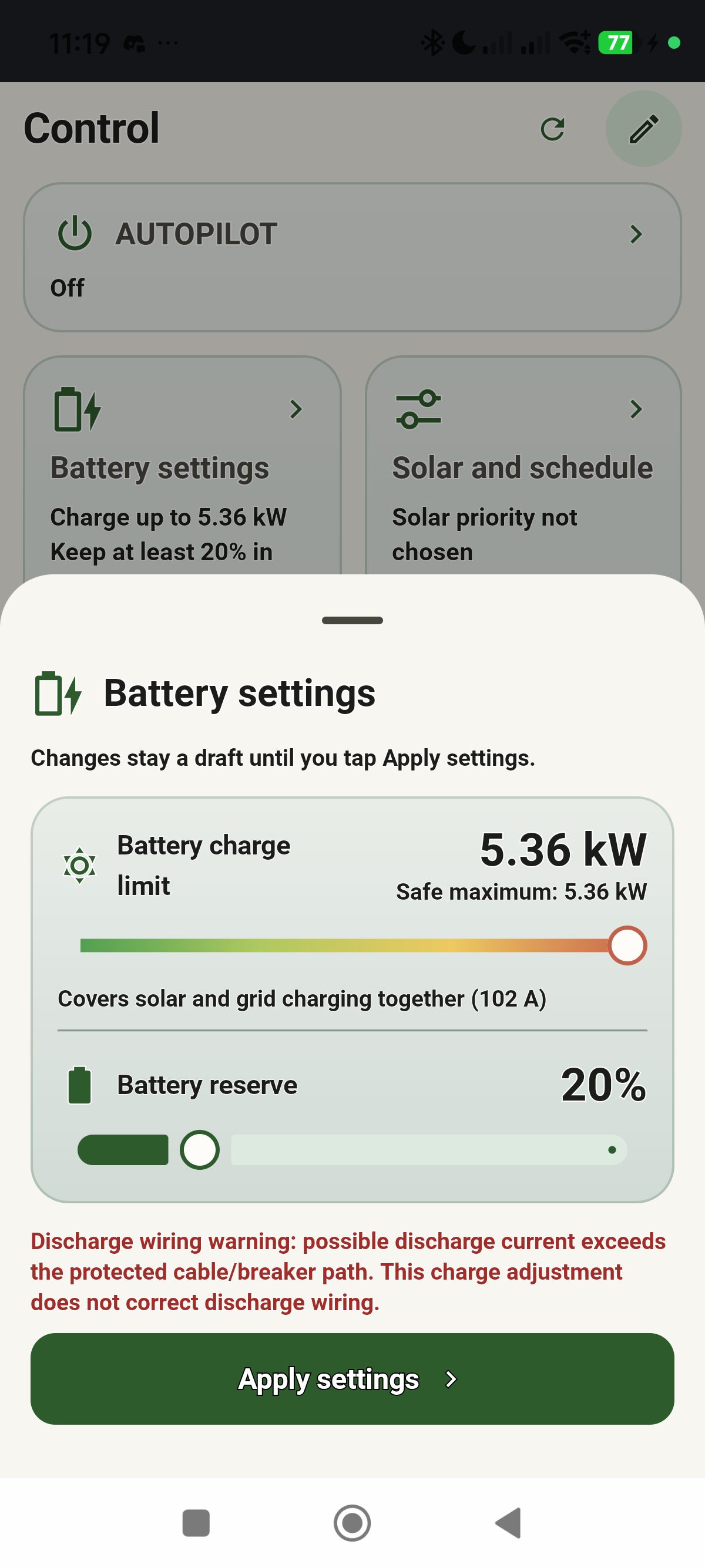
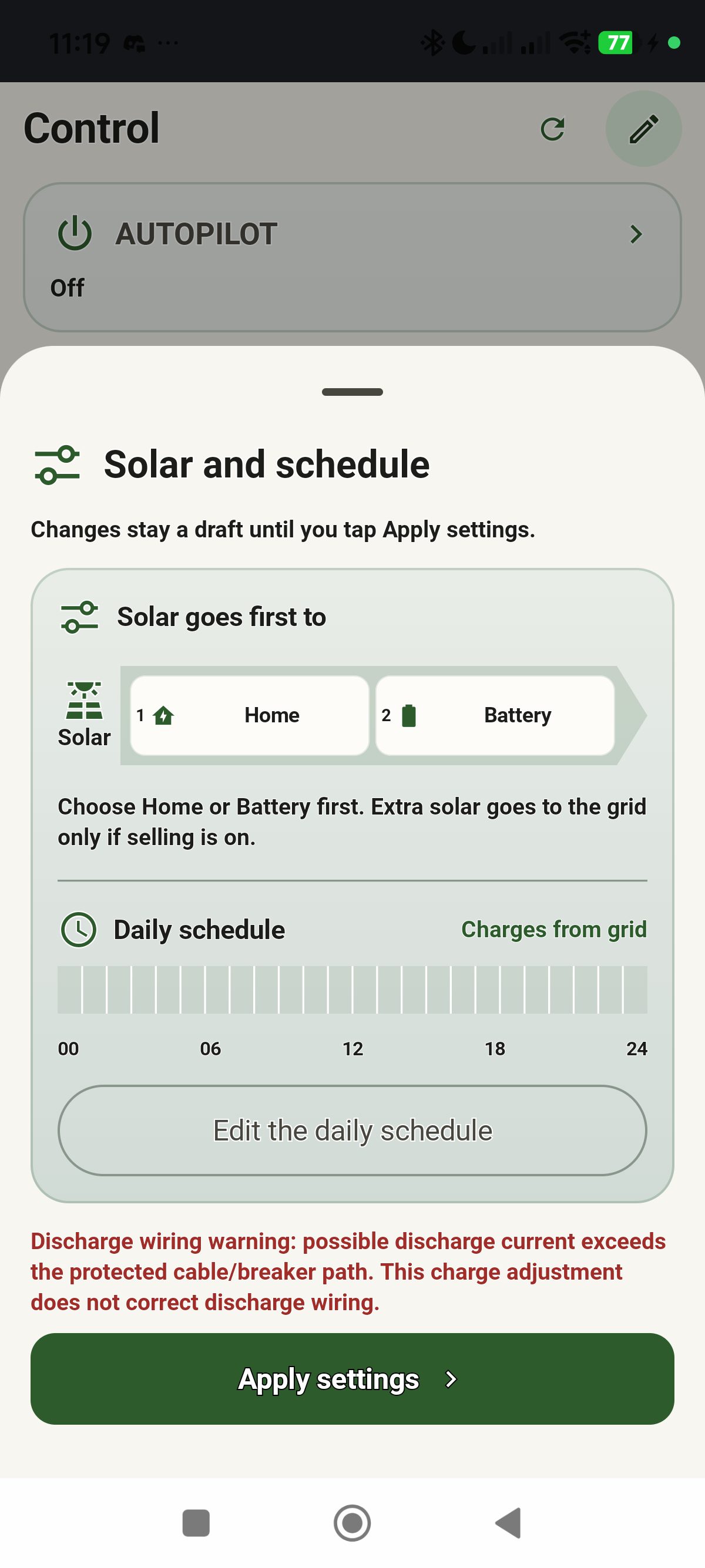
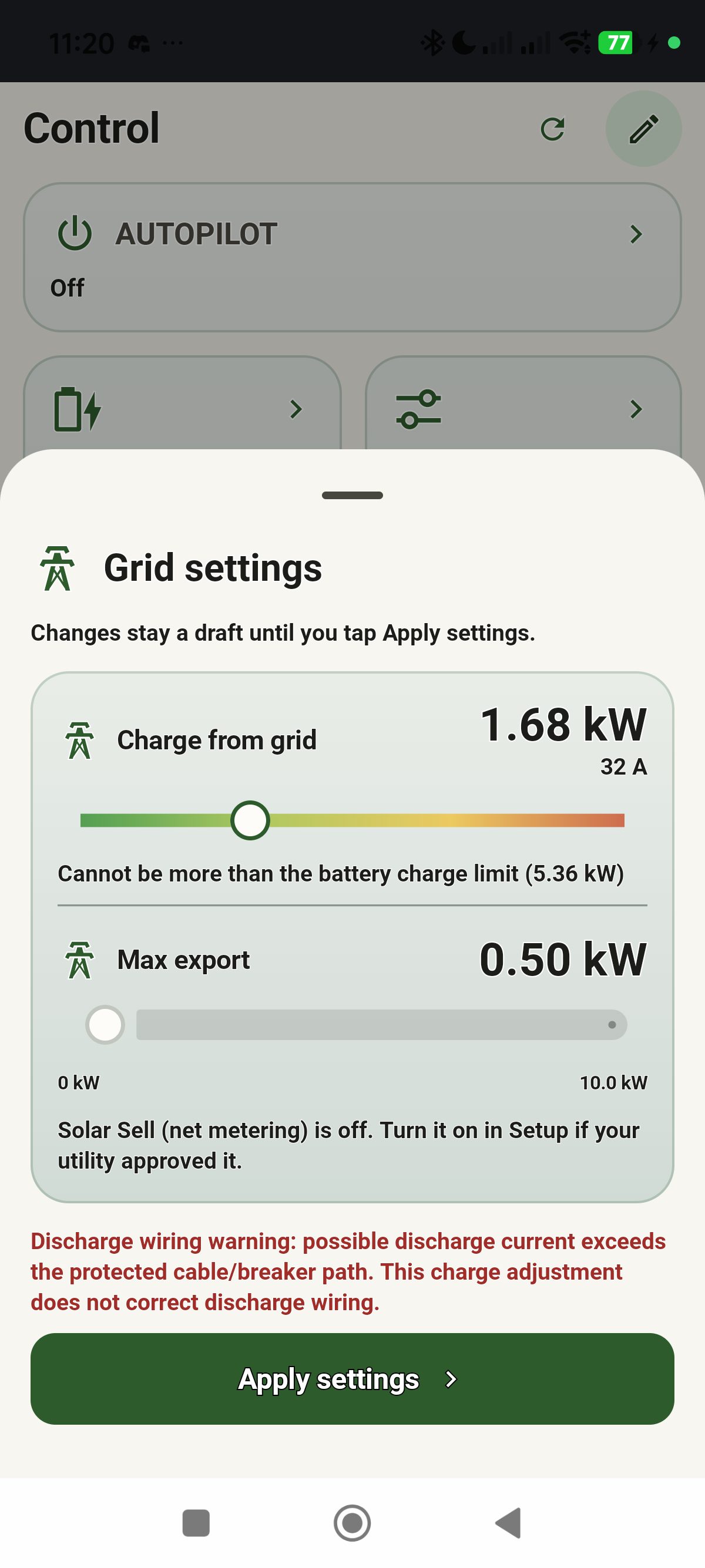
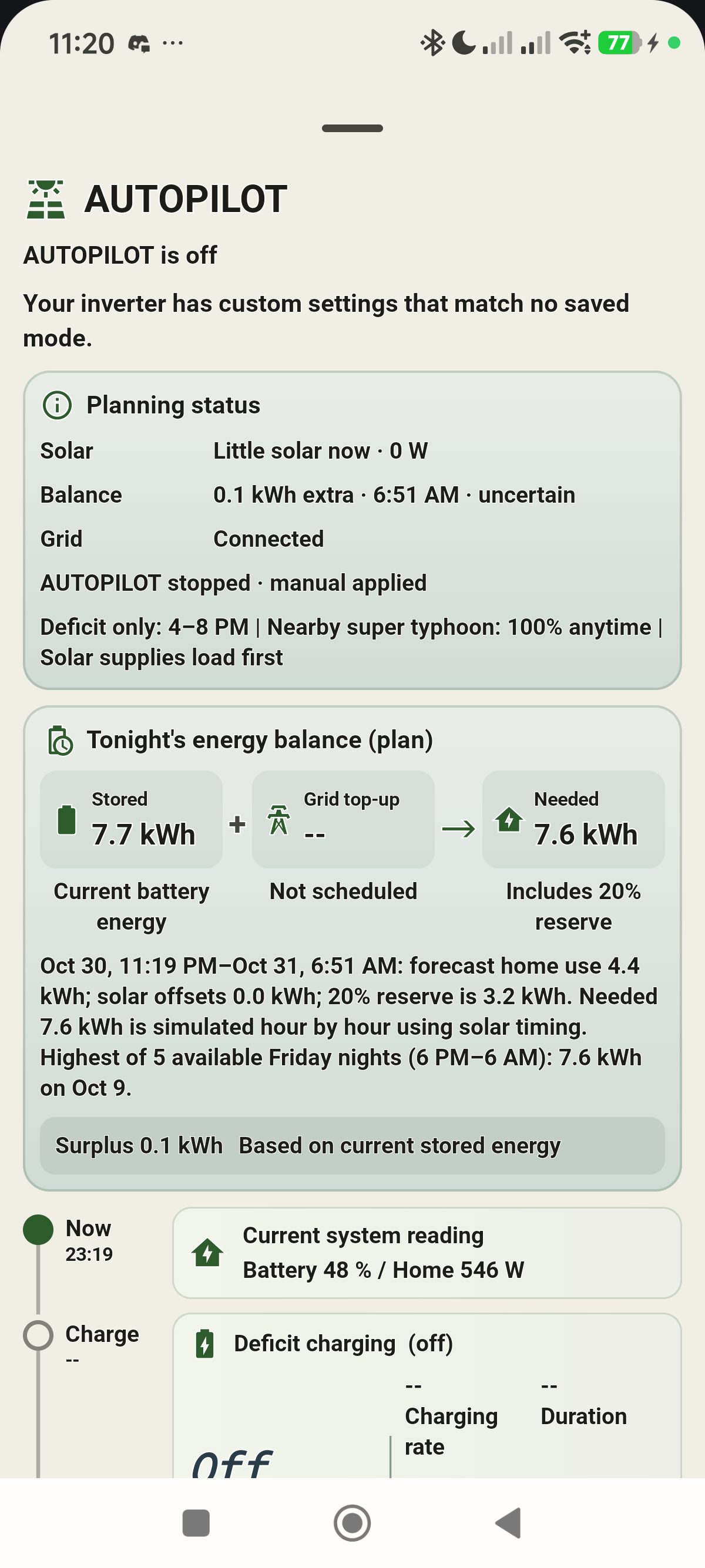
See the plan and tonight's margin.
AUTOPILOT shows its planning status, tonight's energy balance (what is stored, any grid top-up, and what is needed including the reserve) and a timeline of the night ahead.
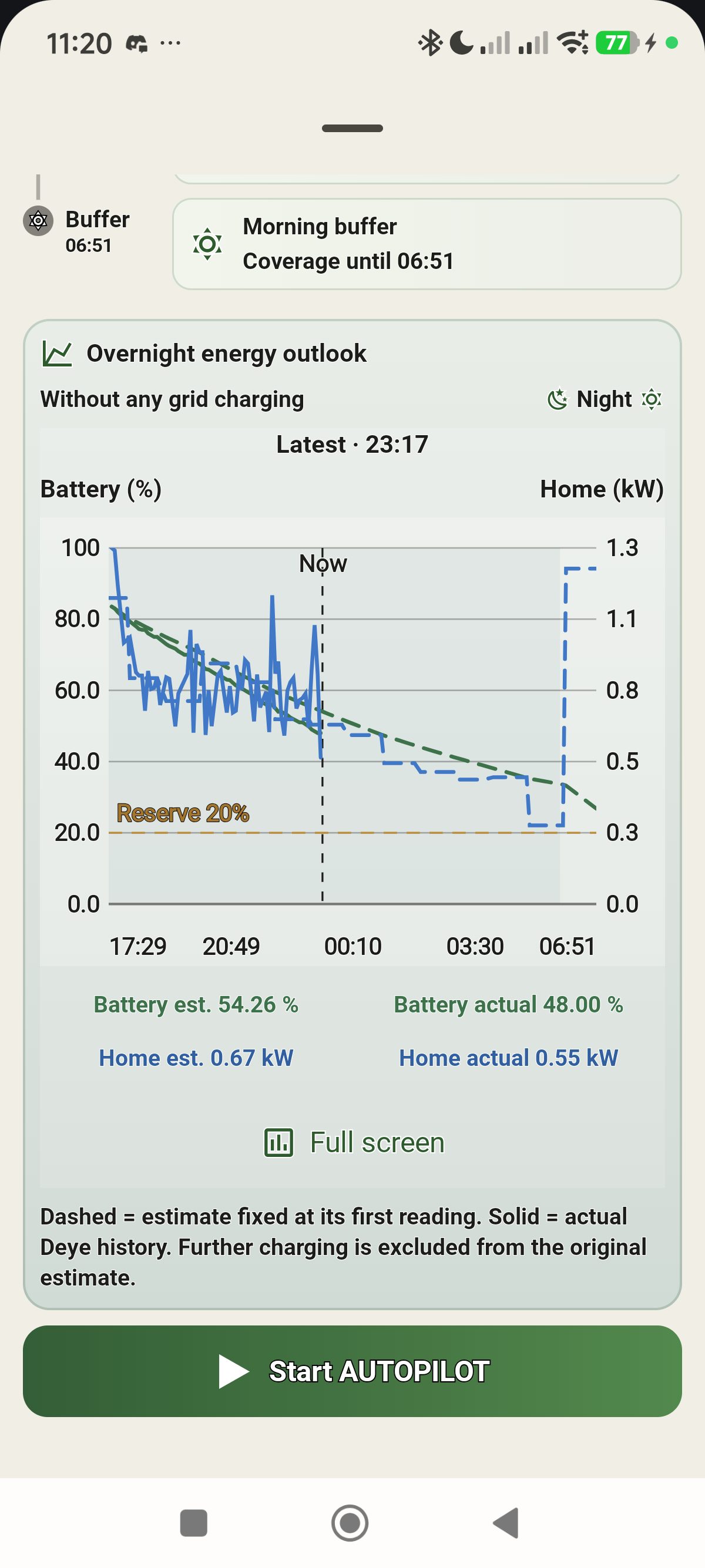
Inspect the overnight estimate.
The Overnight Energy Outlook compares the estimated battery level and home use through sunrise with the actual readings from DeyeCloud, and marks your reserve.
Make every screen yours.
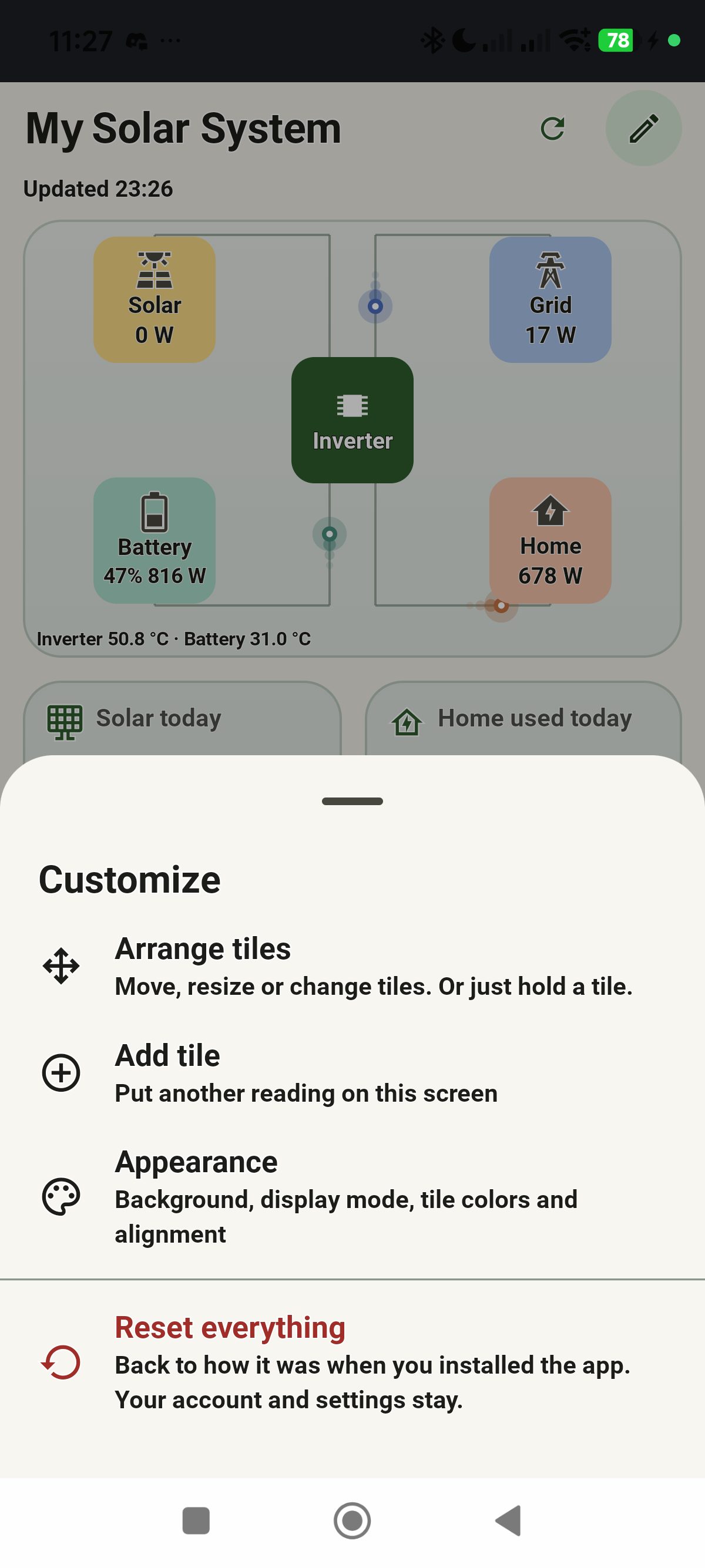
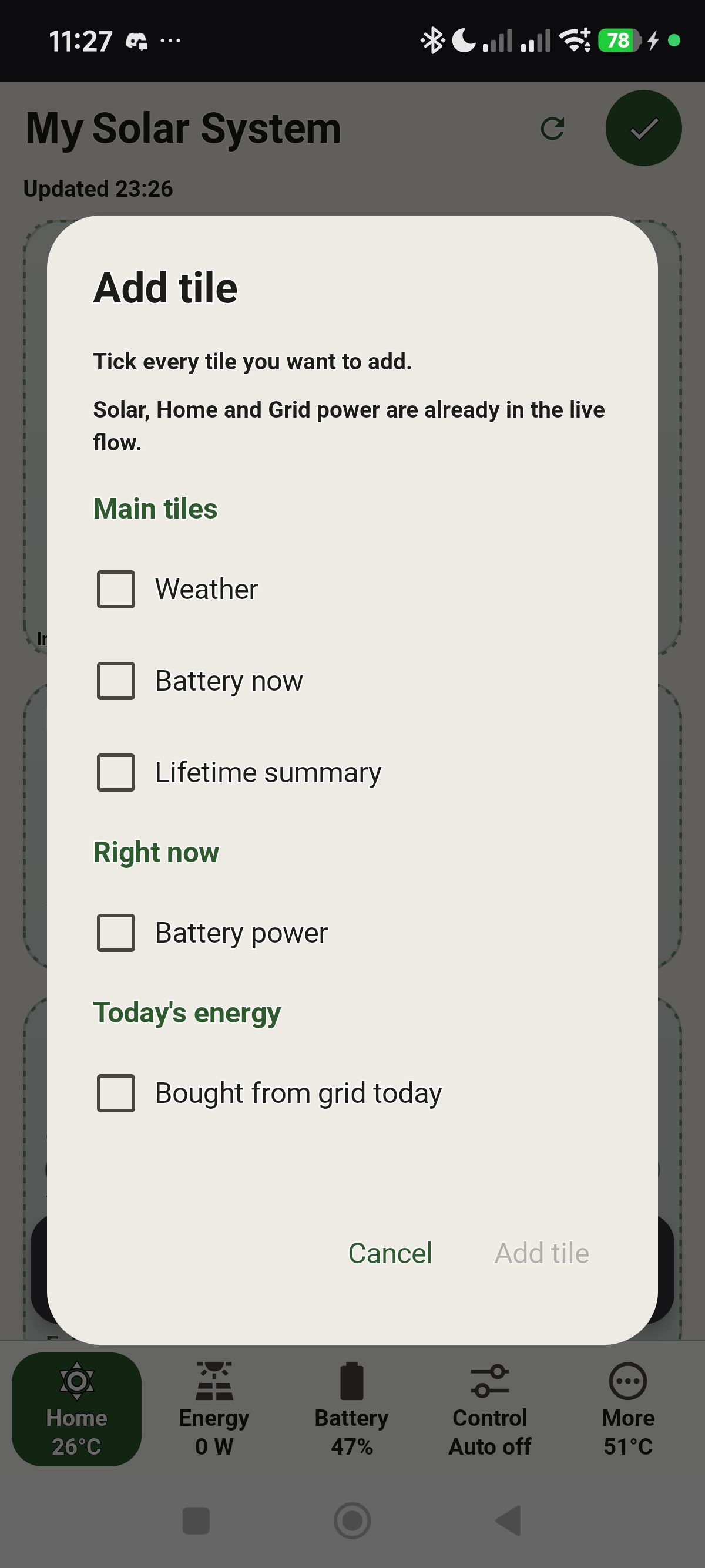
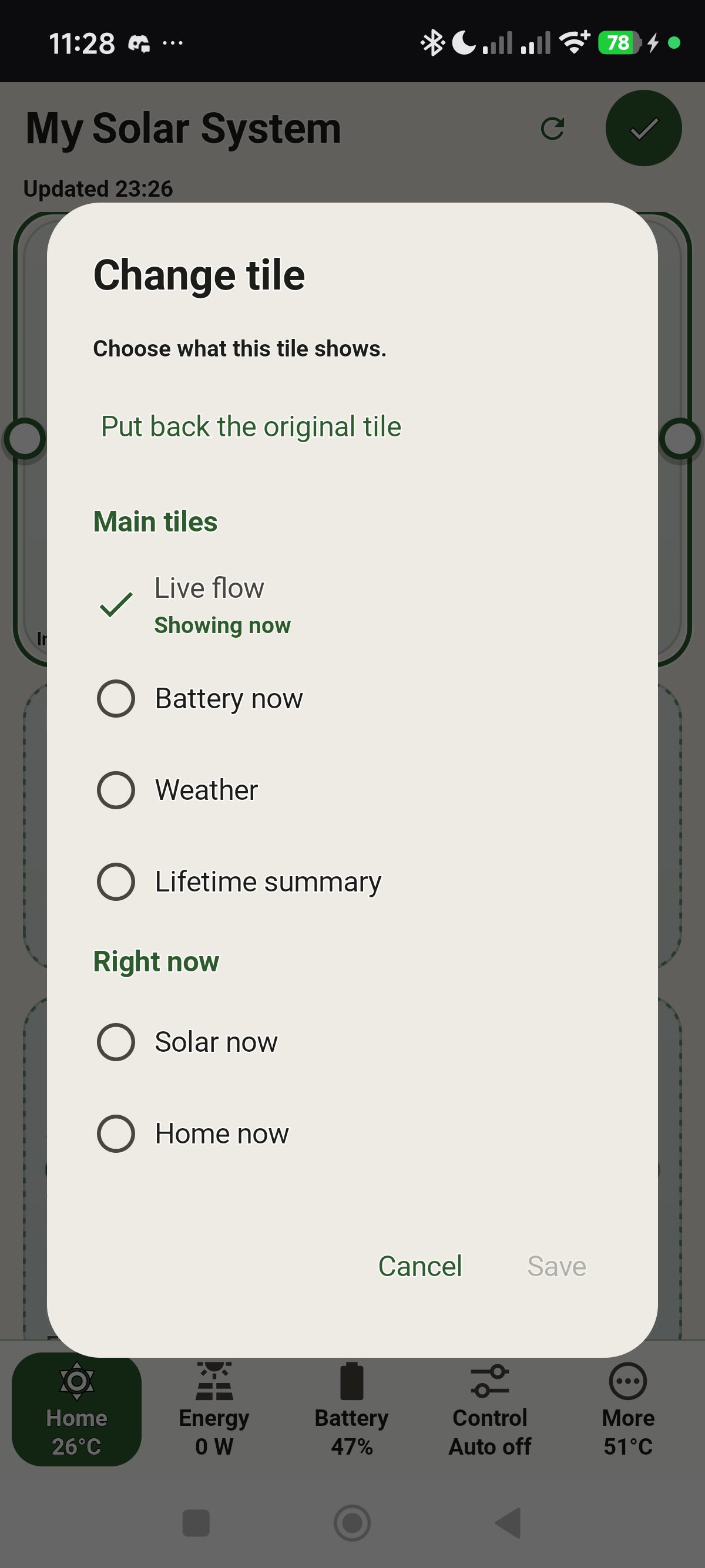
Tap the pencil at the top of Home, Energy, Battery or Control. Arrange, resize, recolor or hide tiles, add new ones, change what a tile shows, and restyle the whole app under Appearance. Reset everything puts the app back the way it was when you installed it.
Keep an eye on heat.
Inverter and battery temperatures are labeled Normal at a glance, next to the local outside temperature, with Today, Week and Month trend charts.
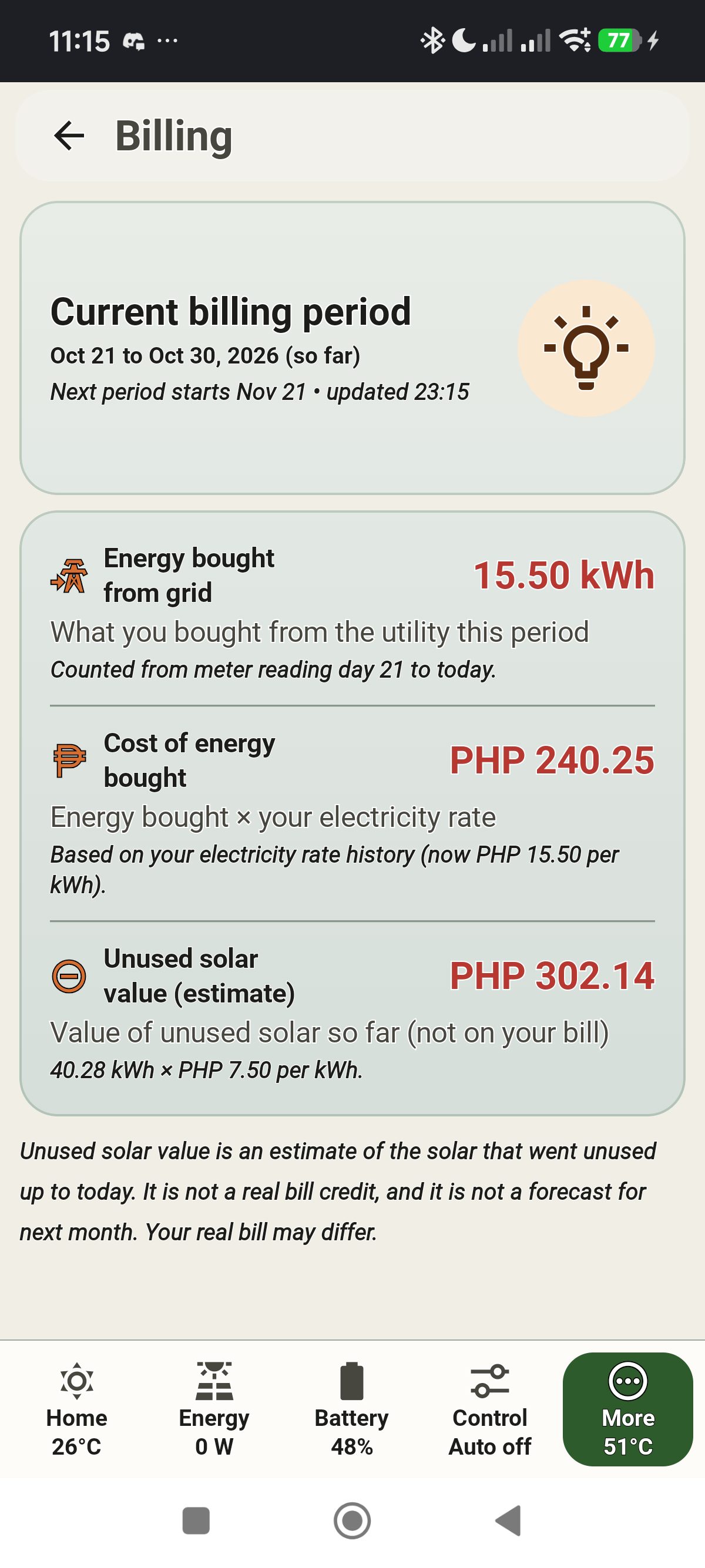
Estimate the current bill.
See the energy bought from the grid this billing period, its cost at your electricity rate, and the estimated value of solar that went unused. Both are estimates, not your actual bill.
Your inverter, your account, your device.
Your own DeyeCloud login
DeyeTrack signs into the account you already have. No new account, and your password is never stored in readable form.
Readings and history stay on your phone
Your readings, history, rates and saved modes live in a database on your phone, and uninstalling removes it. DeyeTrack's own services only relay sign-in and weather, check updates and licenses, coordinate shared AUTOPILOT control, and run the optional leaderboard.
Advertising or analytics SDKs
No advertising or analytics services are used. Weather comes from OpenWeatherMap or Open-Meteo, plus PAGASA typhoon bulletins in the Philippines. The optional leaderboard only ever receives your total generated kWh and a board name.
Everything you may want to know before installing.
Can’t find the answer you need? Email sumclartech@gmail.com.
What do I need to use DeyeTrack?
You need an Android 7.0 or newer phone, a Deye inverter registered with DeyeCloud, and the DeyeCloud account you already use for that inverter.
Does DeyeTrack work without a DeyeCloud account?
No. DeyeTrack uses your DeyeCloud account to read your station’s available inverter data and to apply supported controls.
Are my inverter settings changed automatically?
Only when you tap Apply settings or start AUTOPILOT. Manual changes stay a draft until you apply them, and DeyeTrack waits for the inverter to confirm each one. Once you start AUTOPILOT it applies charging changes by itself, using its safety checks, until you turn it off.
Where is my data stored?
Your readings, history, rates and saved modes stay in a database on your phone. DeyeTrack does run a few small services for sign-in and weather relay, update and license checks, shared AUTOPILOT control and the optional leaderboard. No advertising or analytics services are used. The full details are in the Privacy Policy inside the app (More, then Privacy Policy).
Can I change how the screens look?
Yes. Tap the pencil at the top of Home, Energy, Battery or Control to arrange, resize, recolor, add or hide tiles, and to change the background and style under Appearance. Reset everything returns the app to how it looked when you installed it.
Is there a home-screen widget?
Yes. You can add a DeyeTrack widget to your home screen and choose what it shows, its theme and colors, and what a tap does. Each widget keeps its own settings.
What is the leaderboard?
An optional top-10 board of total solar energy generated. To see it you agree to share your total generated kWh and a board name, nothing else. You can stop sharing at any time in More, then License, and your entry is deleted.
Do I need a license?
Some copies of DeyeTrack include a trial period and then need a license, which you activate or renew in More, then License. Licenses bought in the app are reviewed and approved by a person, so activation is not instant.
How do I install updates?
Download the latest APK from this page and install it over your current copy. Once installed, DeyeTrack checks for updates when you open it and every few minutes. A newer version is required to keep using the app, and Android asks you to confirm the install.
Is DeyeTrack affiliated with Deye or DeyeCloud?
No. DeyeTrack is an independent companion app and is not affiliated with Deye or DeyeCloud.
Install it directly — no store required.
DeyeTrack is distributed as a direct APK download, not through Google Play. That's a deliberate choice, not a workaround.
- Download the APK below on your Android phone.
- Allow "install unknown apps" for your browser when prompted.
- Open the downloaded file and confirm the install.
- Sign in with your existing DeyeCloud account and pick your station.
What's new
Checking release notes…